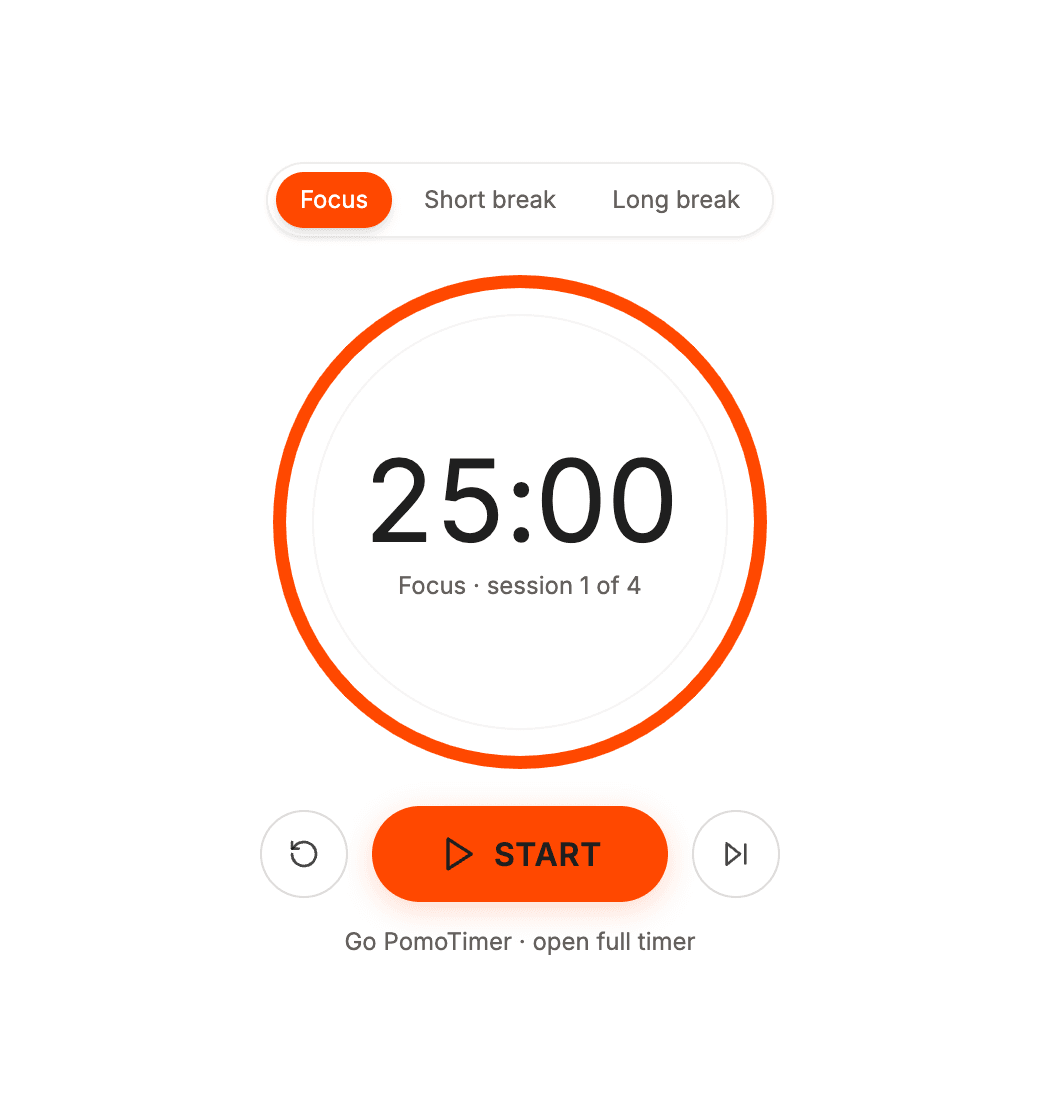
A study dashboard
Give it a wide block at the top of your study planner, above your subjects or revision schedule. At this size you get the Focus, Short break and Long break tabs, the session count and a skip button.
Add the Go PomoTimer timer to any Notion page. Pick a theme, copy the link and paste it with /embed.
Choose a theme above and click Copy link.
In any Notion page, type /embed, paste the link and click Embed link.
Drag the corner to resize. The timer picks the layout that fits.
In a side column it turns compact. Across the top of a page it becomes a slim bar. Both of these are live.
Pick Midnight Focus for Notion dark mode.
The widget reads the size Notion gives it and picks a layout to match, so the same link works on a big dashboard and in a narrow column.
Last updated October 2026
Give it a wide block at the top of your study planner, above your subjects or revision schedule. At this size you get the Focus, Short break and Long break tabs, the session count and a skip button.
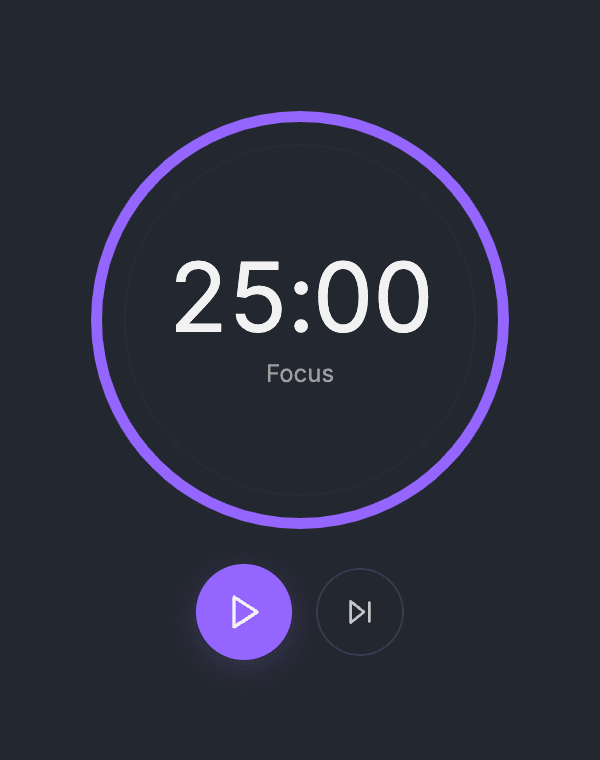
Notion columns are narrow, so the timer switches to a compact layout with just the time and the play and skip buttons. Put your to-do list or reading notes in the column next to it.

Make the embed short and wide across the top of the page and it becomes a one-line bar. It keeps the time in view without pushing your notes down.
Press Start for 25 minutes of focus. When it ends, a chime plays and a 5-minute short break begins. After every fourth focus session you get a 15-minute long break instead. Skip moves to the next step, and reset starts the current one again.
The countdown follows the real clock, so it stays right while you scroll or switch tabs. It also remembers where it was if you reload the page in the same browser. Everything runs in your browser: the widget sets no cookies, needs no account and cannot read anything in your Notion workspace.
Based on popular Notion timer widgets we looked at in October 2026. Details vary from widget to widget.
In short: some widgets give you more control over lengths, looks and stats, usually in a paid plan. Go PomoTimer keeps it simple: no sign-up and nothing to pay.
Yes. The widget is free, has no ads and needs no account.
No. Notion only shows the timer inside a box. Your browser keeps the two apart, so the widget cannot read your notes, tasks or workspace, and you never connect your Notion account.
Yes. The countdown follows the real clock, and it remembers where it was if you reload the page in the same browser.
Browsers only allow sound after you click inside the widget. Press Start once and the end-of-session chime will play.
Not yet. The widget works without signing in. For stats, streaks and the leaderboard, open the full timer at gopomotimer.io with a free account.
Not in the widget yet. It follows the classic rhythm: 25 minutes of focus, a 5-minute short break, and a 15-minute long break after every fourth session. If you need other lengths, the full timer at gopomotimer.io lets you set anything from 1 to 300 minutes.
Notion's iPhone and Android apps generally show embeds while you are online. On mobile the embed takes the width of the page and cannot be resized. The timer runs as usual, but phones pause web pages while the screen is locked, so the chime cannot play until you unlock.
On a computer, drag the corner or the side of the embed to change its size, and the timer switches to the layout that fits. To move it, drag the handle (the six dots) on the left of the block, for example into a side column.
There are four: Vibrant Energy (orange), Midnight Focus (dark, purple), Cozy Coffeehouse (warm brown) and Nature Calm (green). Midnight Focus is the one to use with Notion dark mode. Each theme has its own link, so pick it on this page before you copy.
Pick a theme, copy the link, and your timer sits right next to your notes.
Get your widget