A Pomodoro timer with lo-fi music built in
Go PomoTimer has calm lo-fi beats inside the timer. Switch them on with one click and focus to soft music, with no ads, no playlist to find and no extra tab to open.
Opens the timer with lo-fi ready. The music starts with your first click, for example on Start.
Last updated October 2026
How to turn on the music
- Open the timer.
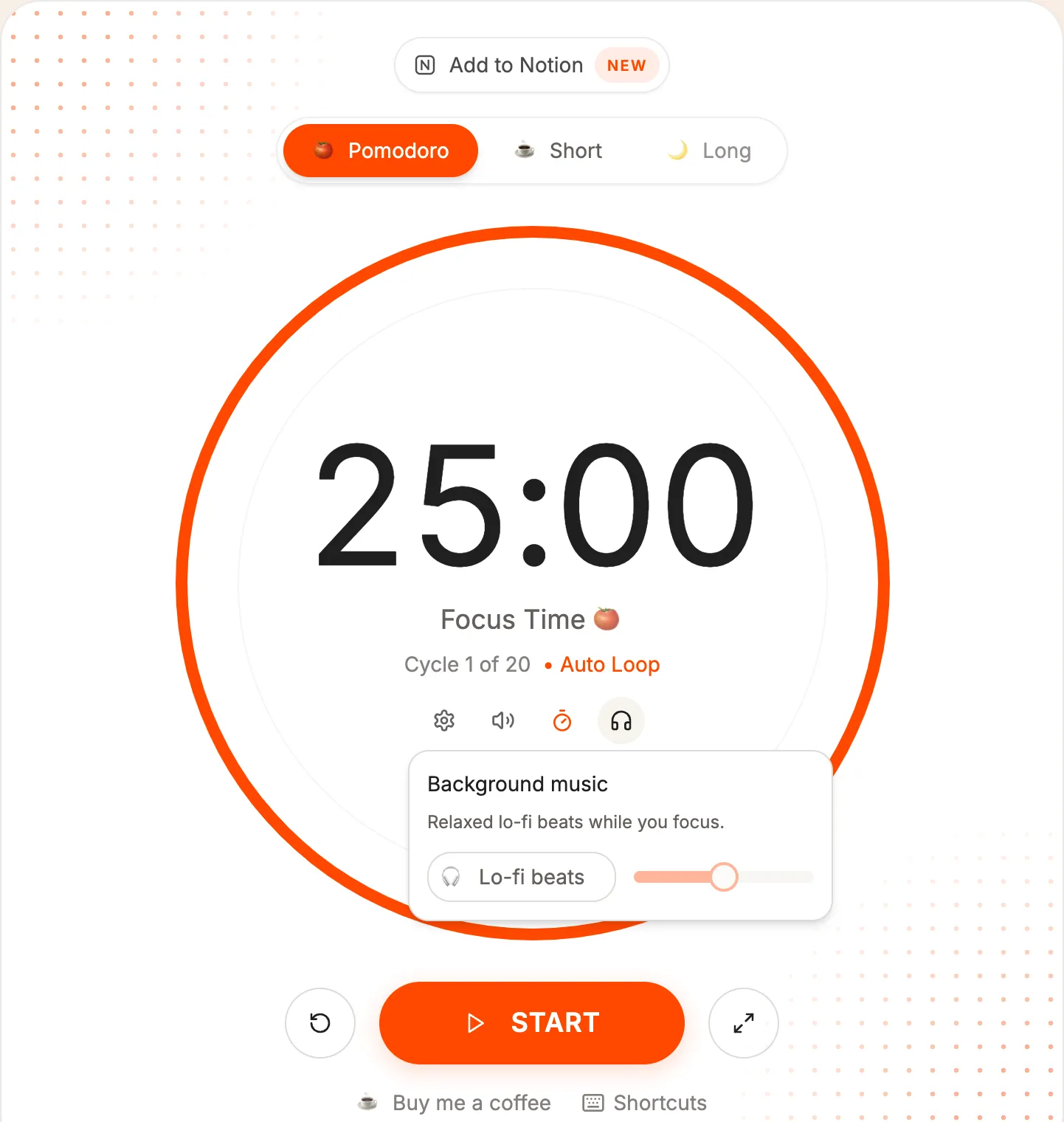
- Click the headphones icon inside the timer circle.
- Switch on Lo-fi beats and use the slider to set the volume.
- Press Start. The music keeps playing through your sessions and breaks until you switch it off.
Go PomoTimer remembers your volume for next time.
How the music is made
The beats are not a recording. Your browser plays them live, using its built-in audio engine: a slow, warm groove at 72 beats per minute, with soft drums, a looping chord pattern, a simple melody and a little vinyl crackle.
Because nothing is streamed, there are no ads between tracks, no account and nothing to download. The loop is seamless, so there is no break in the music to pull you out of focus.
Why focus to lo-fi?
Lo-fi is calm, steady and has no lyrics, which is why many people like it for studying and work. It can cover background noise, like a busy kitchen or an open office, without asking for your attention.
Music doesn't help everyone. If you notice you are listening instead of working, turn the volume down or try a session in silence. The timer works the same either way.
Tips for focusing with music
- Keep the volume low, just loud enough to cover background noise.
- Use headphones in shared spaces.
- Pair the music with full-screen focus mode to hide everything except the timer and your tasks.
- Pick one task in your task list before you start, so the music becomes your cue to work on it.
A simple lo-fi focus routine
- Pick one task and add it to your task list.
- Switch on the music and set it quiet, just above the background noise.
- Press Start and work until the chime. Let the music fade into the background.
- In the break, step away from the screen. The music keeps playing, so coming back feels familiar.
- After three or four sessions, take a long break, and turn the music off if you want some quiet.
Lo-fi in study rooms
The music also works inside a study room. Each person turns it on and sets the volume for themselves, and it plays only on their own device. Friends in the room follow the same timer, but nobody hears your music.
Does the music start by itself?
No. Browsers don't allow a website to play sound before you click something, so you switch the music on yourself, or it starts with your first click when you open the timer from the button on this page.
Does it keep playing during breaks?
Yes. The music doesn't follow the timer: it plays through focus sessions and breaks until you switch it off in the same menu.
Are there other sounds, like rain?
Not at the moment. Lo-fi beats is the only background sound for now. If you'd like another one, tell us at support@gopomotimer.io.
Is it free?
Yes. The lo-fi beats, the timer and everything else on Go PomoTimer are free, with no ads and no account needed.
Put on some beats and start focusing
One click opens the timer with lo-fi ready. Press Start and the music begins.
