Using a Pomodoro timer with ADHD
Some people with ADHD like to work with a Pomodoro timer: short, timed blocks of work with breaks in between. Others find it doesn't suit them, and that's fine too. This page shares practical ways to set up a timer, in case you want to try it.
The button sets the timer to 15 minutes of focus and a 5-minute break, and saves it.
Last updated October 2026
Please read first: we are not doctors
Go PomoTimer is a timer, not a medical product, and nothing on this page is medical advice. We can't tell you whether a Pomodoro timer will work for you, and we don't claim that it treats or improves ADHD.
Everyone is different. If you have questions about ADHD, its symptoms or its treatment, please talk to a doctor or another qualified healthcare professional.
What a Pomodoro timer does
The idea is simple. A Pomodoro timer gives your work a clear shape:
- A fixed block of work with a start and an end, instead of an open-ended task.
- A countdown you can see, showing exactly how much time is left.
- A break that is already planned, so you know when you can stop.
- A signal when time is up: a chime, so you don't need to keep checking the clock.
Some people find that this structure makes a task easier to start or easier to stay with. Whether it does that for you is something only you can find out, by trying a few sessions.
Start with shorter blocks
The classic Pomodoro is 25 minutes of focus and a 5-minute break. You don't have to start there. If 25 minutes feels like a lot, try 10 or 15 minutes of focus and a 5-minute break, and change it whenever you like. A short session you actually start is worth more than a long one you keep putting off.
The quickest way: start a 15-minute block. Or set any length by hand:
- Open the timer and click the settings icon inside the circle.
- Set Pomodoro Duration to 10 or 15 and Short Break Duration to 5.
- Click Save Settings. Your lengths are saved in this browser, no account needed.
Make the first step small
"Write the report" is hard to begin. "Open the document and write the first heading" is easier. Before you press Start, write down the very first small step and make that your only job for this session.
In Go PomoTimer you can add it to your task list, give it an estimate of how many sessions it should take, and pick it as your focus. Each session you finish then counts toward it, so you can see how far you have come.
Keep the timer where you can see it
A timer hidden in a background tab is easy to forget. A few ways to keep it in view:
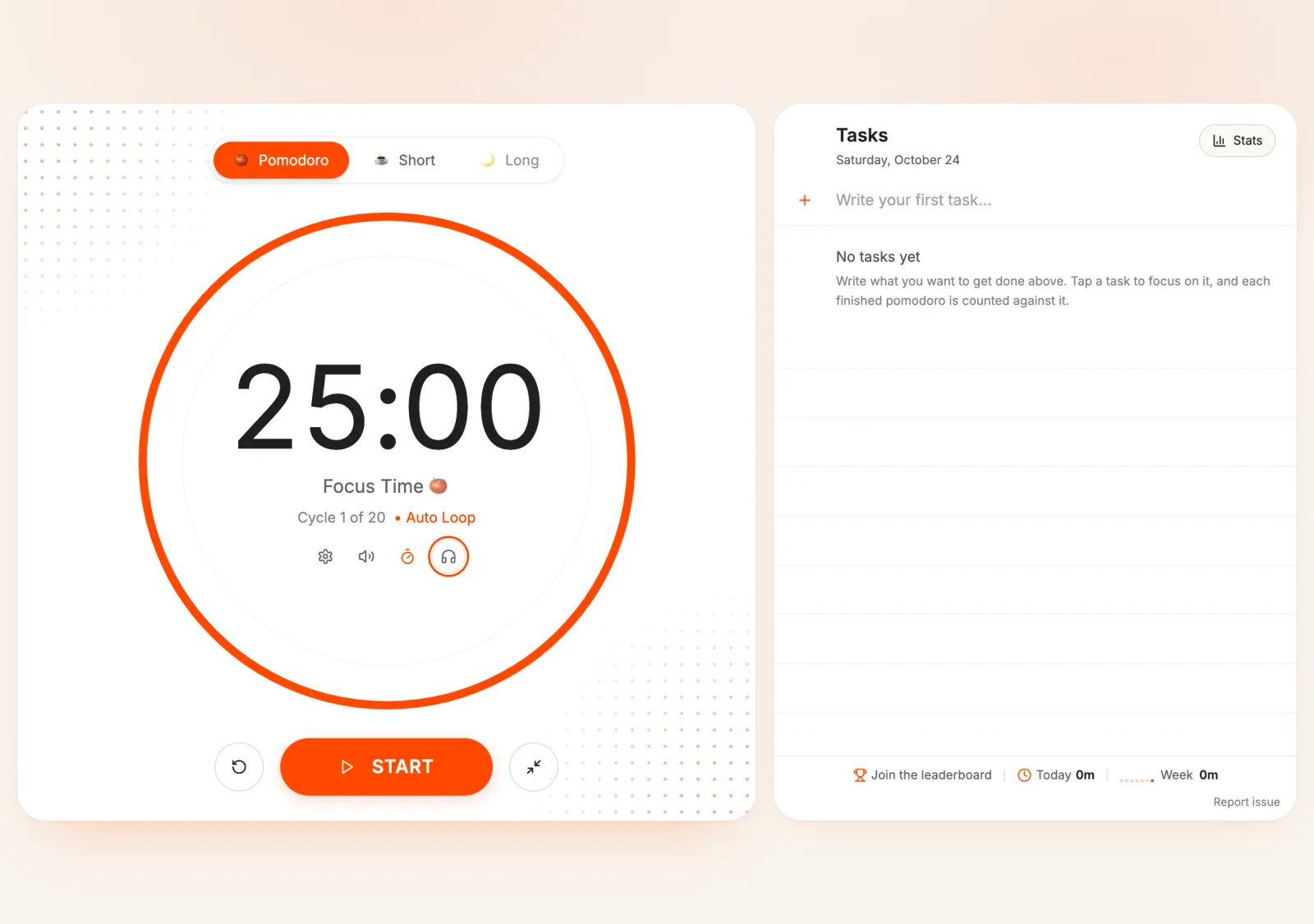
- Full-screen focus mode hides everything except the timer and your task list. Press F or use the button next to Start.
- The browser tab shows the countdown while the timer runs, so you can see the time left even from another tab.
- A second screen or a phone next to your work, with the timer open, keeps it in the corner of your eye.
- The digits turn red in the last 30 seconds, as a heads-up that the session is ending.
A simple first session
- Pick one task and write down its first small step.
- Set the timer to 15 minutes of focus and a 5-minute break.
- Put your phone out of reach, or face down, and open full-screen focus mode.
- Press Start and work on that one step until the chime.
- Take the break away from the screen: stand up, stretch, get a glass of water.
- Decide: another session, or stop for now. Both are fine.
Make the breaks restful
Breaks can be the hardest part. A quick look at your phone can easily turn into twenty minutes. Some ideas that keep a break a break:
- Move: stand up, walk to another room, stretch.
- Look away from screens, for example out of a window.
- Get a drink or a snack.
- Leave messages and social media until a longer break, or until you are done.
- If 5 minutes is too short to come back from, try a slightly longer break rather than skipping breaks.
When you are deep in a task
Sometimes you get absorbed in something and lose track of time. When that happens, the chime can feel like an interruption. Treat it as a check-in, not an order:
- If the work is going well, it is fine to keep going for a while. You decide.
- If you have been at it for a long time, the chime is a reminder to drink some water and stretch.
- Auto-loop (the timer icon inside the circle) starts the next session or break by itself. Leave it on if you want the timer to keep the rhythm, or turn it off if you would rather start each session yourself.
What to look for in a focus timer
If you are comparing timers, these are practical things to check. They are about ease of use, not about ADHD itself:
- Lengths you can change easily, including short ones like 10 or 15 minutes.
- A countdown that is big and easy to see, and stays visible.
- A clear sound at the end, which you can switch on or off.
- A choice between starting the next session yourself or letting it start automatically.
- Little to set up: no sign-up or long settings before you can begin.
- A way to keep one task in view while the timer runs.
Other features you can use
- Sound on or off: a chime plays when a session ends. Use the speaker icon inside the timer to switch it.
- Calm background music: optional lo-fi beats, if sound helps you settle. If music distracts you, leave it off.
- Keyboard shortcuts: Space to start or pause, R to reset, F for full screen, N to add a task.
- Your progress: today's focus time is shown with your tasks. With a free account you also get stats and day streaks.
Working alongside someone
Some people find it easier to start and keep going when someone else is working at the same time. This is often called body doubling.
A Go PomoTimer study room lets you do that online. Share a link with a friend, and you both follow the same timer and can see what the other is working on. Neither of you needs an account.
When a session doesn't go to plan
- Got pulled away? Press reset and start the block again. One lost session is not a failed day.
- Keep a note of stray thoughts and look at them in the break, instead of acting on them straight away.
- Some days, shorter blocks work better. Change the lengths whenever you need to.
- If timed sessions are not helping you at all, that is useful to know too. A timer is just one tool among many.
Is the Pomodoro Technique good for ADHD?
There is no single answer, and we are not the right people to give a medical one. Some people with ADHD find timed blocks useful; others prefer different ways of working. Trying a few short sessions is a low-effort way to see whether it suits you. For anything about ADHD itself, please ask a healthcare professional.
How long should a session be?
As long as feels doable for you today. 10 or 15 minutes is a gentle start; 25 minutes is the classic length. You can set anything from 1 to 300 minutes in Go PomoTimer and change it at any time. For longer focus blocks, see our 50/10 timer guide.
Does Go PomoTimer replace ADHD apps or treatment?
No. Go PomoTimer is a free focus timer. It is not designed as an ADHD tool and is not a substitute for advice, support or treatment from a healthcare professional.
Try one short block
Pick one small step, start a 15-minute block and see how it feels.
