How to add a Pomodoro timer to Notion
You can put a working Pomodoro timer inside any Notion page in under a minute. Notion has no timer of its own, so you embed one with a link. Here is how, step by step, with the free Go PomoTimer widget.
Last updated October 2026
1. Copy the timer link
Go to the Notion widget page, pick one of the four themes and click Copy link. Each theme has its own link:
- Vibrant Energy (orange): gopomotimer.io/embed
- Midnight Focus (dark, for Notion dark mode): gopomotimer.io/embed/midnight-focus
- Cozy Coffeehouse (warm brown): gopomotimer.io/embed/cozy-coffeehouse
- Nature Calm (green): gopomotimer.io/embed/nature-calm
2. Type /embed in Notion
Open the Notion page where you want the timer. On an empty line, type /embed and press Enter. Paste the link and click Embed link.
The timer appears right away. It needs no account, and you never connect it to your Notion workspace.
3. Resize it and put it in place
Drag the corner or the side of the embed to change its size. The timer reads the space it has and picks the layout that fits:
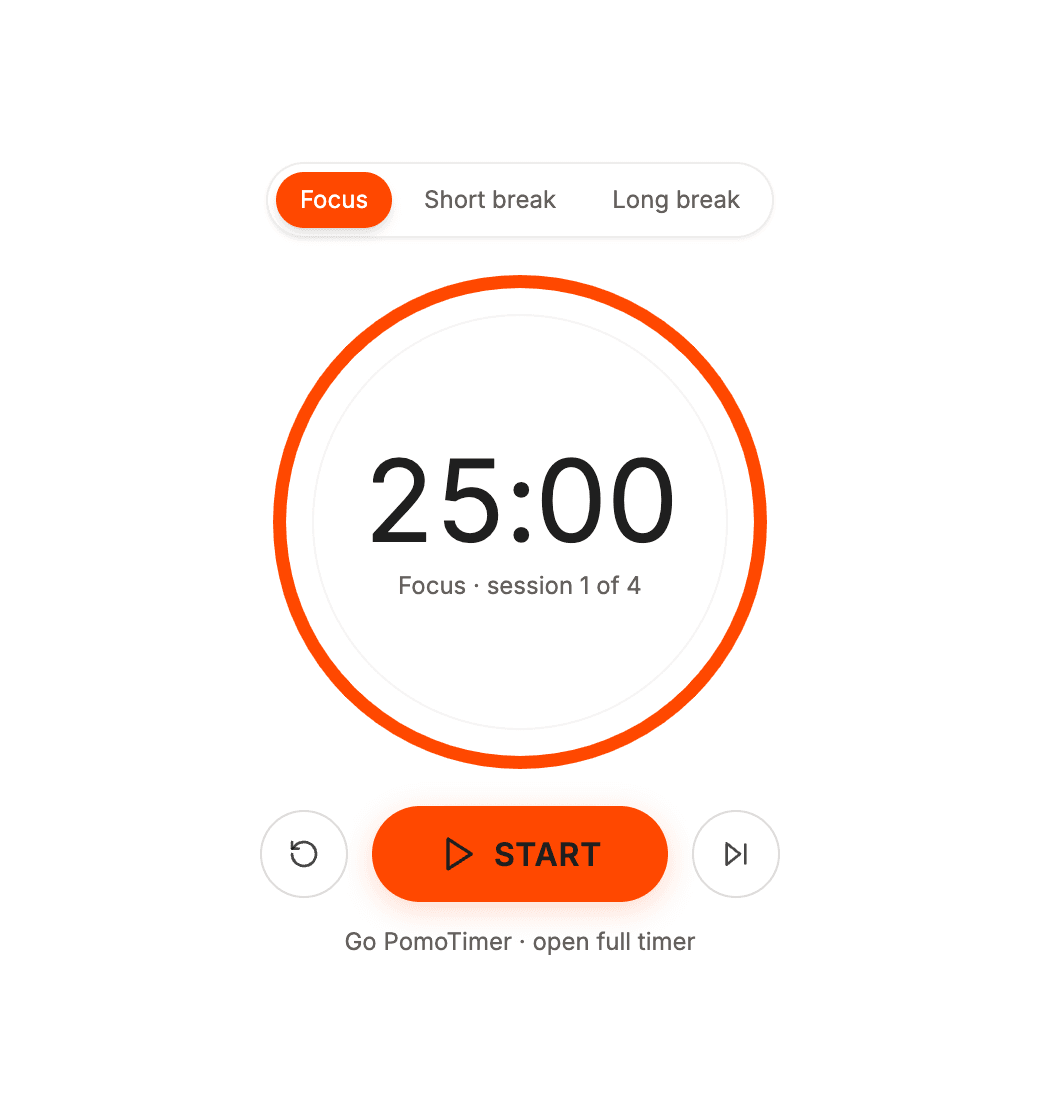
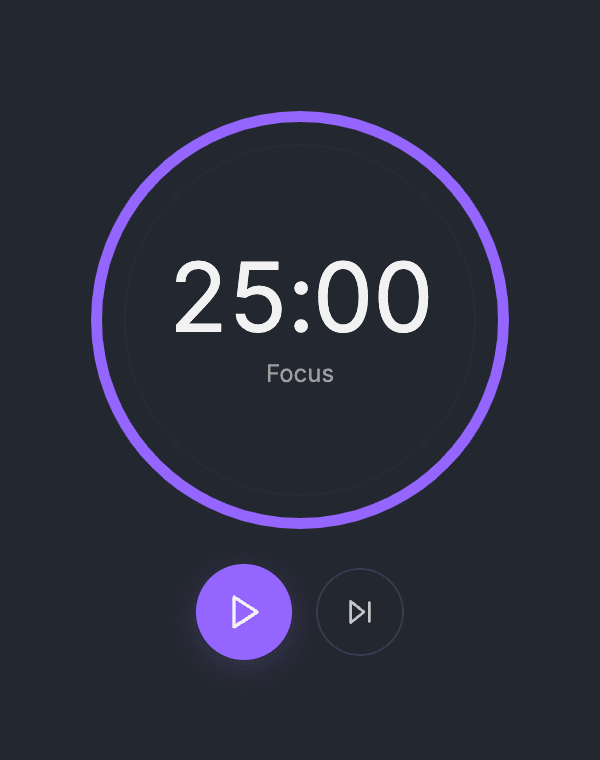

To put the timer in a side column, drag the six-dot handle on the left of the block and drop it next to another block. Notion makes a column for it.
Using it day to day
- A session is 25 minutes of focus, then a 5-minute break; after the fourth session the break is 15 minutes.
- Scrolling or switching tabs doesn't throw the time off, because the widget counts against the real clock.
- Reload the Notion page and the widget picks up where it left off, as long as you use the same browser.
- The chime needs one click first: browsers only play sound after you interact, so press Start inside the widget.
Notion dark mode and the mobile app
For Notion dark mode, use the Midnight Focus link. It has a dark background that blends in.
On a phone, the Notion app shows the widget at full page width while you are online; you can't resize it there. Keep the screen on during a session, because phones pause web pages when locked and the chime only plays once you unlock. More answers are in the Notion widget FAQ.
If something doesn't work
- You see a link or a bookmark instead of a timer: the link was pasted without /embed. Delete it, type /embed first, then paste the link.
- No sound: click Start inside the widget once. Browsers block sound until you interact.
- Wrong colors: each theme has its own link. Copy the one you want and embed it again.
- Need other lengths: the widget uses 25/5/15. For custom lengths, stats and streaks, use the full timer.
Get your timer link
Pick a theme, copy the link and paste it into Notion with /embed.
